

Introduction
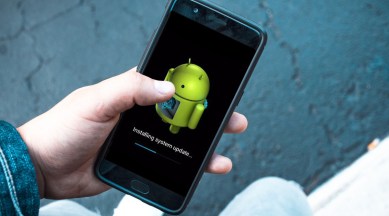
In a world dominated by technological advancements, owning an old Android phone can feel like navigating through a time warp. While the excitement of acquiring a new smartphone can be exhilarating, it often leaves behind the forgotten legacy of older devices. Yet, instead of discarding those vintage treasures, why not explore ways to breathe new life into them? This article delves into practical tips and tricks to enhance the performance of your aging Android phone, making it usable and enjoyable once again.
Understanding the Old Android Ecosystem
Before diving into solutions, it’s essential to understand why old Android phones slow down over time. With every new update, apps evolve, often requiring more RAM and processing power. Compounding this issue is the accumulation of temporary files, outdated apps, and even background processes that hog resources.
The Impact of Software Updates
Older devices often face compatibility issues with the latest software updates. While new features are exciting, they often come at the cost of performance on older hardware. This leads to a frustrating user experience. By reverting to a streamlined version of Android or optimizing the existing setup, users can regain some control over their phone’s performance.
Identifying Hardware Limitations
Older Android devices usually come equipped with lower specifications compared to their modern counterparts. Understanding your device’s hardware limitations is crucial. Check the RAM, processor speed, and storage capacity to know what challenges you face.
Top Tricks to Speed Up Your Old Phone
1. Clear Cache and Data
Apps accumulate cached data over time which can slow your phone dramatically.
-
How to Clear Cache:
- Go to Settings.
- Tap on Storage.
- Select Cached Data to clear it.
- Clearing App Data:
- Navigate back to Settings.
- Tap on Apps.
- Select an app and then tap on Storage.
- Finally, click Clear Data.
2. Uninstall Unused Apps
Over time, we often download several apps, many of which we hardly use.
- How to Uninstall:
- Open the App Drawer.
- Long press any unwanted app.
- Tap on Uninstall.
3. Disable Pre-installed Apps
Many Android devices come with factory-installed apps that you might not need.
- How to Disable:
- Go to Settings > Apps.
- Find the app you want to disable.
- Tap on Disable.
4. Use Lite Versions of Apps
Many popular applications offer ‘Lite’ versions optimized for lower-end devices.
- Examples include:
- Facebook Lite
- Twitter Lite
- Google Maps Go
5. Limit Background Processes
By limiting background app activity, you can free up resources.
- How to Set Background Usage:
- Go to Settings.
- Navigate to Developer Options (enable it by tapping the build number several times in the About Phone section).
- Set Background Process Limit to a lower level.
6. Disable Animations
Reducing animations can provide a smoother experience.
- How to Disable Animations:
- Go to Developer Options.
- Change the Window Animation Scale, Transition Animation Scale, and Animator Duration Scale to Animation off.
7. Perform Regular Software Updates
Keeping your software updated can patch security vulnerabilities and improve performance.
- How to Update:
- Go to Settings.
- Tap on System > System Updates.
8. Use a Lightweight Launcher
A lightweight launcher can significantly improve the responsiveness of your device.
- Examples include:
- Nova Launcher
- Microsoft Launcher
- Apex Launcher
9. Manage Storage Efficiently
Running low on storage can slow down your device.
- How to Free Up Space:
- Remove unused media files such as photos and videos.
- Use cloud storage solutions like Google Drive or Dropbox.
- Regularly transfer files to a computer.
10. Optimize Battery Usage
An efficient battery management system can prevent apps from draining resources.
- How to Optimize:
- Go to Settings > Battery.
- Tap on Battery Optimization.
11. Reset to Factory Settings
If all else fails, a factory reset can restore your phone to its original state.
- How to Reset:
- Go to Settings.
- Tap on Backup & Reset.
- Select Factory Data Reset.
12. Replace the Battery
A deteriorating battery can hinder performance dramatically.
- How to Replace:
- Seek professional help or consult DIY tutorials, as some phones have non-removable batteries.
13. Explore Custom ROMs
If you’re feeling adventurous, consider installing a custom ROM designed for performance.
- Popular options include:
- LineageOS
- Resurrection Remix
14. Disable Google Assistant
Although handy, Google Assistant can slow down your phone.
- How to Disable:
- Open the Google App.
- Tap on More > Settings.
- Go to Voice and disable it.
15. Limit Widgets on Home Screen
Widgets can consume valuable resources.
- How to Limit:
- Remove unnecessary widgets from your home screen.
- Use static wallpapers instead of live wallpapers.
16. Use Offline Files
Downloading content for offline use can minimize online syncs that consume resources.
- How to Use Offline Files:
- Use apps that support offline downloads, such as Google Maps or Spotify.
17. Avoid Live Wallpapers
Both dynamic and live wallpapers can slow down old devices.
- How to Change:
- Long press on the home screen and select Wallpapers.
- Choose a static option.
18. Reduce Sync Frequency
Limiting your sync settings can conserve battery and resources.
- How to Sync Less Often:
- Go to Settings > Accounts.
- Select an account and adjust the sync frequency.
19. Use Ad Blockers
Ads can slow down browsers, leading to a frustrating experience.
- How to Install:
- Look for trusted ad-blocking apps in the Play Store.
20. Use a SD Card for Storage
If supported, an SD card can greatly increase storage efficiency.
- How to Use:
- Insert an SD card and designate it as internal storage through Settings > Storage.
Conclusion
Speeding up your old Android phone doesn’t have to be an overwhelming task. With these actionable tips, you can bring new energy to your aging device, extending its life and functionality. Each small change contributes to a more responsive, enjoyable user experience, allowing you to enjoy the nostalgia of your older Android while keeping pace with your day-to-day needs.
Final Thoughts
As we embrace newer technology, let’s not forget the value of older devices. By employing these tricks, you not only reduce electronic waste but also rejuvenate a part of technological history. Whether for personal use or as a backup, reviving your old Android can be a rewarding and sustainable choice.
